
1. 快捷键
開啟桌面管理視窗:Win+Tab 快速新增桌面:Win + Ctrl + D 關閉目前桌面:Win + Ctrl + F4 快速切換桌面:Win + Ctrl + 左/右
- Shift + Windows Key + Left Arrow: Moves the window to the left monitor.
- Shift + Windows Key + Right Arrow: Moves the window to the right monitor.
2. 调试工具
Windows sdk
下载
https://developer.microsoft.com/zh-cn/windows/downloads/windows-sdk/
使用windbg和adplus
https://jishuin.proginn.com/p/763bfbd7349c
3. 查看端口占用
找占用端口的pid:
netstat -aon|findstr "8081"
查找pid的进程名
tasklist|findstr "9088"
结束进程
强制(/F参数)杀死 pid 为 9088 的所有进程包括子进程(/T参数):
taskkill /T /F /PID 9088
4. 输入法面板 消失

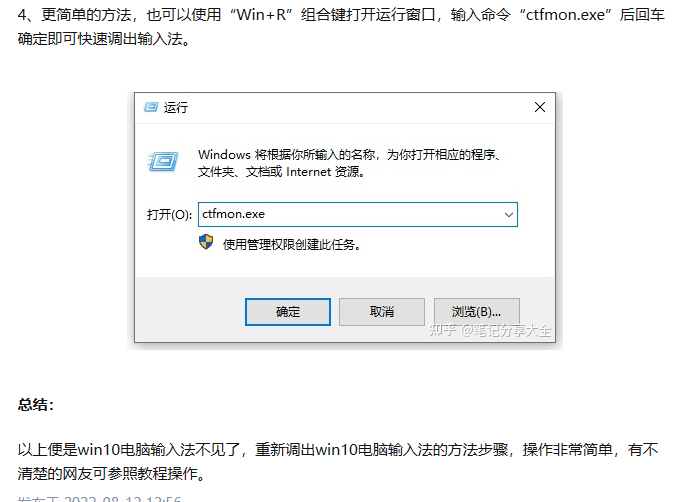
https://www.10bests.com/how-to-enable-win10-input-icon/
5. 管理员运行命令行
点开开始,在开始的输入框中输入cmd,这个时候出现cmd的快捷方式,可以采用方法一的方法启用管理员调用,但这里我们不用鼠标,直接按住CTRL+SHIFT+ENTER三个键就可以直接调用管理员权限的cmd了;
查看系统是否重启过:
https://www.freebuf.com/articles/system/278840.html
6. powershell看日志
json
Get-Content .\localhost_access_log.2020-05-08.txt -tail 10 -wait用git windows查看命令
json
tail -f player.log -n 10|grep inputcontrol7. 自启动设置
- 文件位置打开后,按 Windows 徽标键 + R,键入“ shell:startup”,然后选择“ 确定”。这将打开“ 启动”文件夹。
- 也可以通过设置定时任务启动 ,参考
https://blog.csdn.net/gdali/article/details/108864769
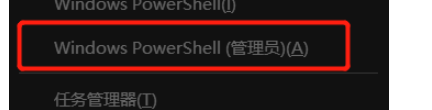
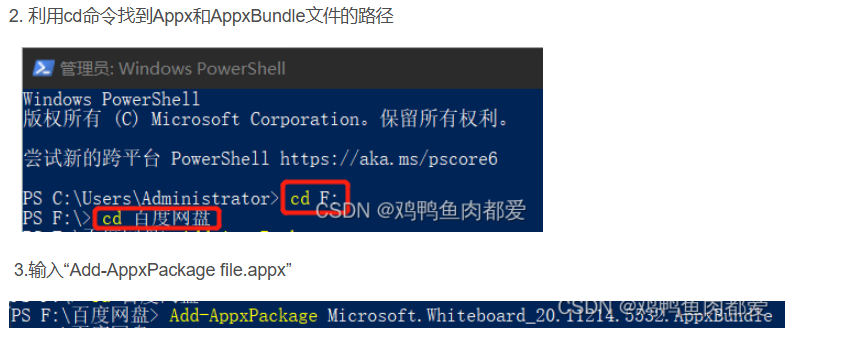
8. 如何安装appx程序
https://blog.csdn.net/m0_66418976/article/details/131692190
9. 权限
查当前进程的属性
yaml
whoami /groups | Select-String "Mandatory Level"查目录属性
yaml
icacls "D:\work\github" | Select-String "Mandatory Label"修改目录的属性
yaml
icacls "D:\work\github\wemory" /setintegritylevel "(OI)(CI)M" /T